
WhatsApp Business
WhatsApp LLCCommunication
4.657.54K Reviews
- Version
- 2.26.44.74
- Installs
- 1.00B
- Age Rating
- Everyone
Screenshots

Our Review of WhatsApp Business
 Analysis by Appyee
If you're a small business owner like me, you might have heard about WhatsApp Business and wondered if it’s worth the download. I decided to give it a whirl, and here’s my take on it.
Setting Up WhatsApp Business
Setting it up was a breeze. You download it just like any other app, and during the setup, you get the option to link it to your existing WhatsApp account or create a new one for business. I opted for a fresh start, and within minutes, I was ready to roll.
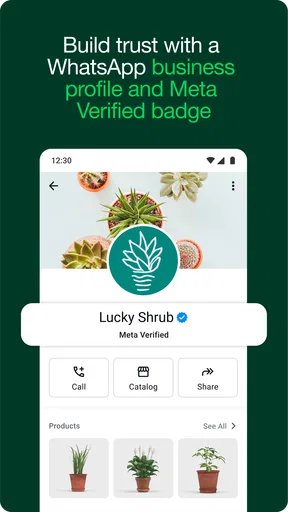
One thing I loved right away was the ability to create a business profile. You can add important details like your business address, description, email, and website. It’s like having a mini-website, right in the app!
Features That Stand Out
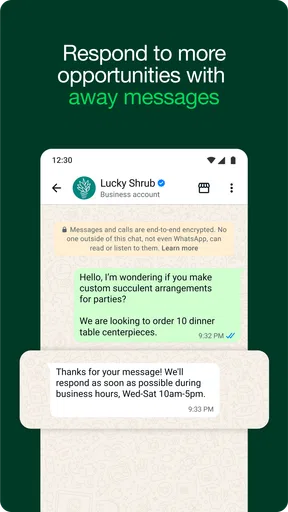
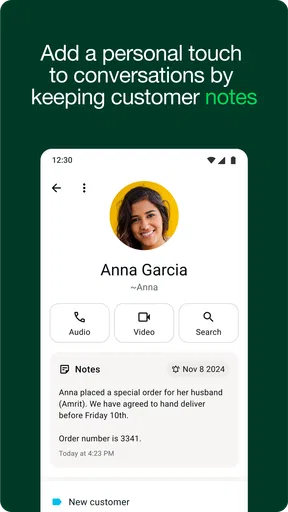
Now, let’s talk features. WhatsApp Business offers some neat tools to make your life easier. The automated messages feature is a lifesaver. You can set up greetings for new customers and even create quick replies for FAQs. This is perfect for those days when you’re swamped.
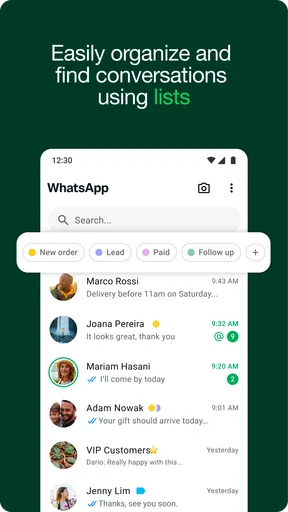
Labels were another feature I found super handy. You can organize your chats and customers with tags like new customer, pending payment, or order complete. It’s like having a digital assistant to keep everything in check.
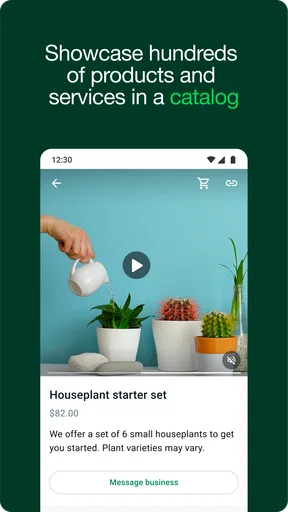
And let’s not forget about the catalog feature. I uploaded images of my products with descriptions and prices, and voila! My customers could browse through them without leaving the chat. This feature alone is a game-changer for showcasing what you have to offer.
User Experience
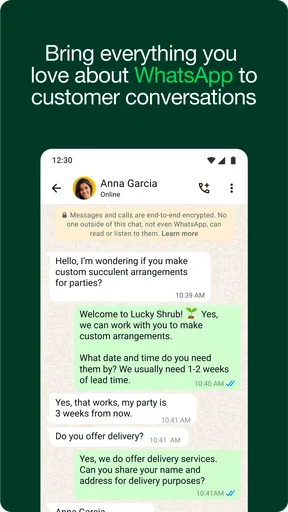
In terms of user experience, WhatsApp Business feels just like regular WhatsApp, which is great because there’s no steep learning curve. It’s intuitive and easy to navigate. The interface is clean, and everything is where you’d expect it to be.
However, I did notice that the app can get a bit cluttered if you have tons of messages coming in. But the search function is robust, allowing you to find specific chats or keywords quickly.
Why It’s Worth Considering
For small business owners, WhatsApp Business is a tool that can enhance your connection with customers. It’s personal, direct, and most importantly, it’s where many of your customers already are. People appreciate the convenience of chatting with a business just like they do with friends or family.
Plus, it’s free! In a world where marketing tools can be pricey, having access to such a powerful platform at no cost is a big plus.
Final Thoughts
All in all, I’d say WhatsApp Business is definitely worth trying out if you’re looking to boost your customer interaction without much hassle. It’s a simple yet effective way to keep your business at the fingertips of your customers. If you’re ready to make communication smoother and more efficient, give it a shot. Who knows? It might just become your new favorite business tool!
Privacy and Permissions
See what permissions an app requests and how it handles your data.
- Device & app history
- retrieve running apps
- Identity
- find accounts on the device, add or remove accounts, read your own contact card
- Contacts
- find accounts on the device, read your contacts, modify your contacts
- Location
- approximate location (network-based), precise location (GPS and network-based)
- SMS
- send SMS messages
- Phone
- directly call phone numbers, read call log, read phone status and identity
- Photos/Media/Files
- read the contents of your USB storage, modify or delete the contents of your USB storage
- Storage
- read the contents of your USB storage, modify or delete the contents of your USB storage
- Camera
- take pictures and videos
- Microphone
- record audio
- Wi-Fi connection information
- view Wi-Fi connections
- Device ID & call information
- read phone status and identity
- Other
- view network connections, create accounts and set passwords, pair with Bluetooth devices, send sticky broadcast, change network connectivity, connect and disconnect from Wi-Fi, full network access, change your audio settings, control Near Field Communication, read sync settings, run at startup, draw over other apps, use accounts on the device, control vibration, prevent device from sleeping, toggle sync on and off, install shortcuts, uninstall shortcuts, read Google service configuration
Verdict
Strengths of WhatsApp Business
- Easy integration with Facebook and Instagram.
- Automated messages save time.
- Labels help organize customer chats.
- Catalog feature showcases products.
- End-to-end encryption ensures privacy.
Limitations of WhatsApp Business
- Limited analytics compared to competitors.
- Requires separate app from personal WhatsApp.
- No direct payment integration.
- Desktop app lacks full features.
- Limited customization for chat templates.
Other Releases by WhatsApp LLC
View All
WhatsApp Messenger
Communication4.6
Similar Picks in This Category
View All
Google Messages
Google LLC4.6

Gmail
Google LLC4.1

Google Meet
Google LLC4.4

Google Chrome
Google LLC4.1
WhatsApp Messenger
WhatsApp LLC4.6

Carrier Services
Google LLC4.2
You May Also Like
View All


Frequently Asked Questions
What is WhatsApp Business and how does it differ from regular WhatsApp?
WhatsApp Business is an app designed specifically for small and medium businesses to connect more efficiently with their customers. Unlike the regular WhatsApp, it offers features such as business profiles, automated messages, and quick replies, allowing businesses to provide better customer service and manage inquiries more effectively.
Is WhatsApp Business free to use?
Yes, WhatsApp Business is free to download and use. However, while the app itself doesn’t charge fees, businesses should be aware that data charges may apply depending on your mobile or internet service provider, especially if you use the app frequently to communicate with customers.
Can I use both WhatsApp and WhatsApp Business on the same device?
Yes, you can use both apps on the same device, but you need to register them with different phone numbers. WhatsApp Business and the regular WhatsApp app must each be linked to a separate number, allowing you to manage personal and business communications separately.
What features make WhatsApp Business effective for customer engagement?
WhatsApp Business includes several features aimed at enhancing customer engagement, such as automated greeting and away messages, quick replies for frequently asked questions, and access to business insights. These tools help streamline customer interactions, ensuring timely and effective communication.
Is WhatsApp Business secure for business communications?
WhatsApp Business employs end-to-end encryption for all messages, ensuring that only you and the person you’re communicating with can read what is sent. This makes it a secure option for business communications, as it protects information from third parties. However, always ensure that you follow best practices for data protection.
